wyrd Product Updates
Our product is constantly evolving to effectively support leadership in everyday life. Here you can find all information about new products, features and improvements.
Last update: September 24, 2026
Greater transparency across teams
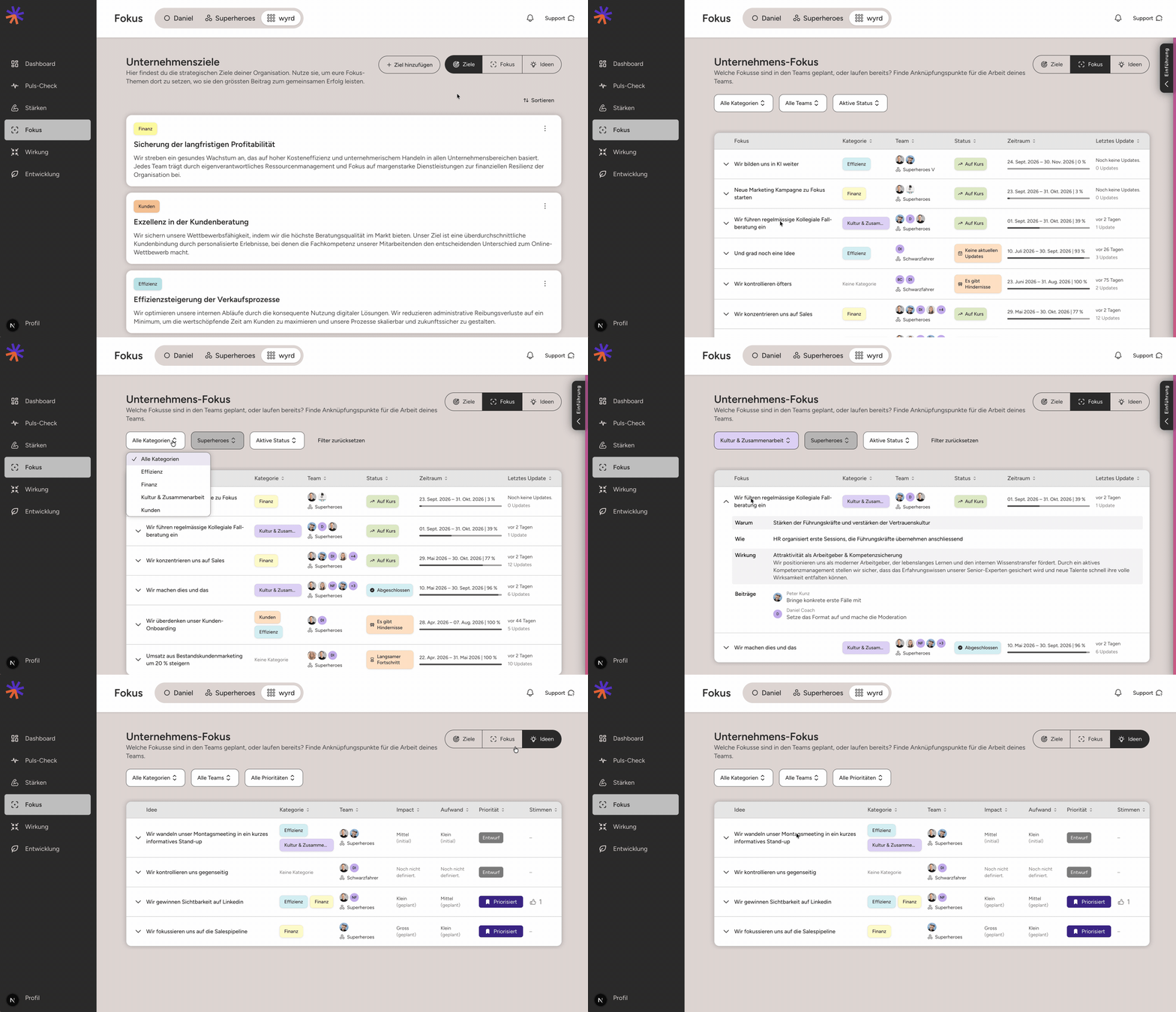
What is the company currently focusing on?
The organizational view provides greater transparency across teams and shows at a glance which focus topics and ideas are currently relevant.
The clear, organized tables can be filtered and sorted. This allows leaders to quickly see what is happening within individual teams, how organizational goals are being implemented, and where promising new ideas are emerging.
This makes connections more visible, simplifies navigation, and helps identify synergies and opportunities for meaningful collaboration across team boundaries at an early stage.
Dashboard: Your everyday at a glance
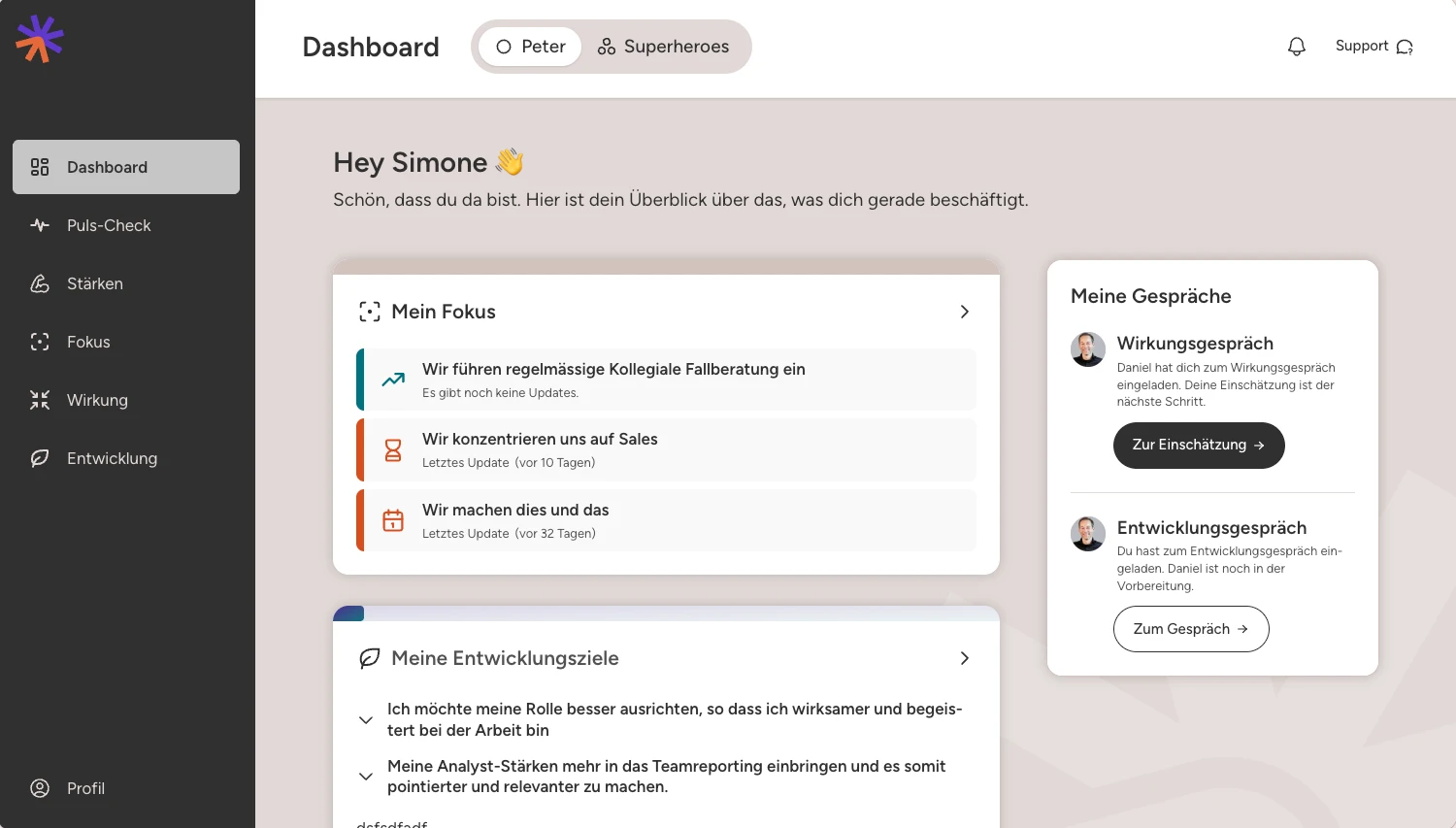
Your personal dashboard is now more clearly aligned with what is currently important to you.
With the new "My Focus" tile, you can see at a glance where your focus should be. It complements your development goals and open conversations, ensuring that what matters stays top of mind.
Focus: See what needs attention faster
We have redesigned the focus overview and updates so you can see more quickly what is on track and where support is needed.
You can now see the current status and the latest update directly in the overview. A timeline replaces the previous percentage display, making the progress over time easier to understand.
Updates are also more organized: progress and obstacles are displayed more clearly and can now be filtered.
Use the focus overview in your team meeting for a quick check-in: How are you progressing and where do you need to take action?
Various other updates
- You can now create new focus areas directly on the team page – perfect for when you already know what the team should be focusing on.
Other various updates
- Managers and team members can now access past development meetings at any time via the context menu.
- Handouts from completed development meetings now also display shared notes.
- Focus, ideas, and updates support external links within the text - including the practical [link text](https://...) markup format.
Impact Conversations are now easier, clearer, and better supported in everyday work
Thanks to your feedback, we’ve improved Impact Conversations in many areas. New guidance and examples support you during preparation and help you provide more meaningful responses.
Shared notes are now available in every step, making it easier to capture important insights together during the conversation. Takeaways now remain visible alongside your development tools, helping you turn agreements into everyday actions.
If something changes before the conversation takes place, both leaders and team members can now revise their assessments during the preparation stage. Completed Impact Conversations can also be revisited at any time, making it easy to look back on previous conversations and agreements.
Reminders help you complete open Impact Conversations so they don’t get lost in the day-to-day. We’ve also improved transparency around how data from Impact Conversations is processed.
New: Focus – Strategie that sticks.
Strategy matters. But in everyday work, urgent emails, meetings and unexpected tasks often take over.
With Focus, we bring company strategy and daily teamwork closer together. The strategy sets the direction. Teams contribute their ideas, prioritise together and decide what really matters now.
Short updates on progress, obstacles and new insights keep the focus alive, without rigid quarterly goals, additional reporting or micromanagement.
The result? More clarity. More initiative. And less getting lost in the day-to-day.
Pulse Check Comparison Over Time
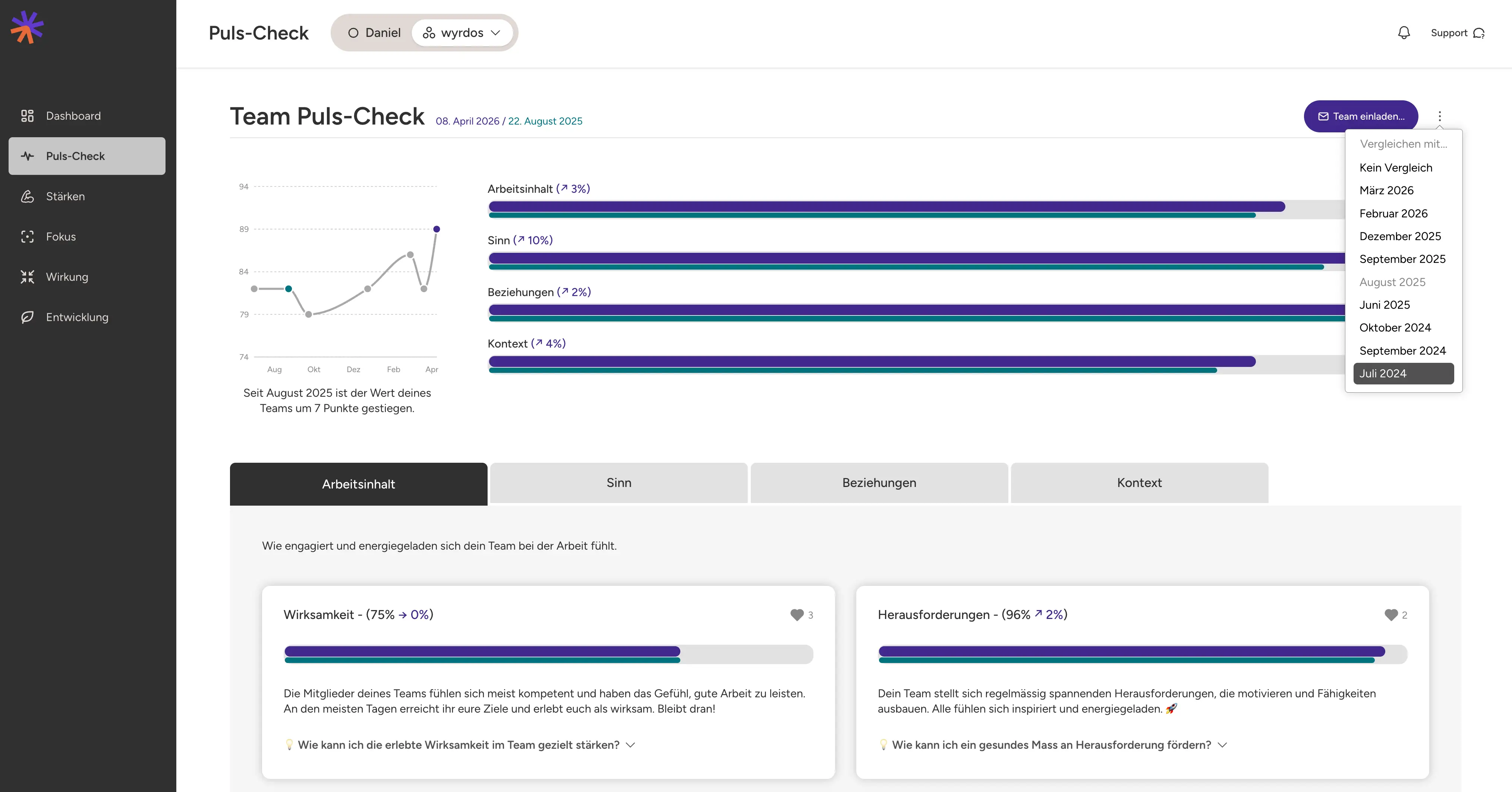
Highly requested and finally here: Compare Pulse Check results across different time periods. Simply select the desired time frame from the context menu to see how your team has evolved.
For leaders, this provides a valuable way to spot changes early, understand the impact of actions taken, and track team development over time.
Other various updates
- Privacy info boxes and icons now provide even greater transparency about who can see your data and how it is used.
In-App Notificationens
A practical update: notifications are now shown directly in the app.
This means you can see important updates where you are already working and, in some cases, skip the round trip via email.
Other various updates
- Development tools now display the creation date in the overview. This helps keep track when the same tools are used multiple times.
Team Progress Overview
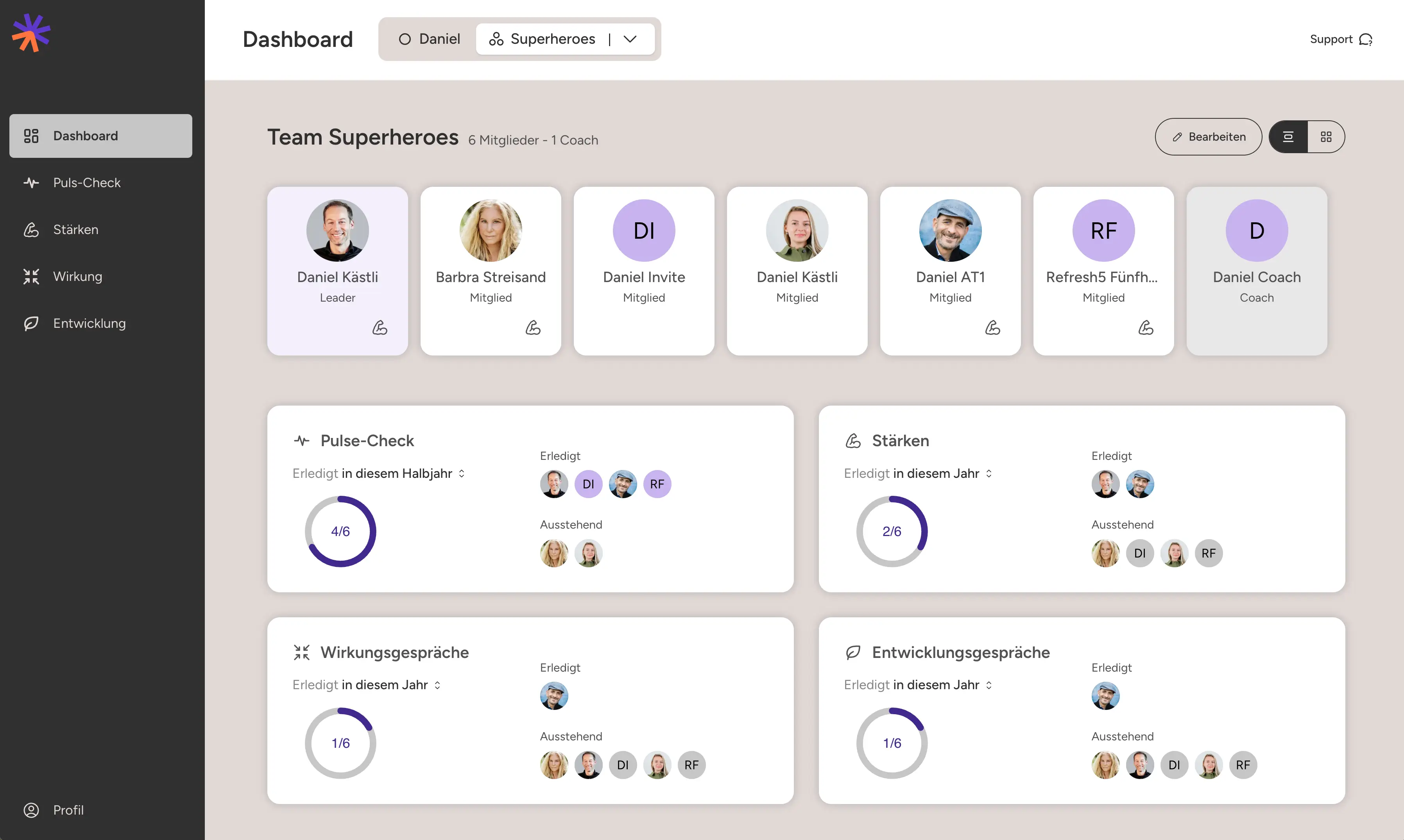
The team dashboard also receives a practical addition for the team leader. It shows who in the team has already completed which assessments or discussions and what is still open — adjusted to the period of time that is relevant to you. This provides an overview of how active individual team members are and where support could possibly be useful.The Team Dashboard also receives a practical addition for managers. It shows who in the team has already completed which assessments or discussions and what is still open – adapted to the timeframe relevant to you. This provides an overview of how active individual team members are and where additional support might be beneficial.
Overview of Open Conversations
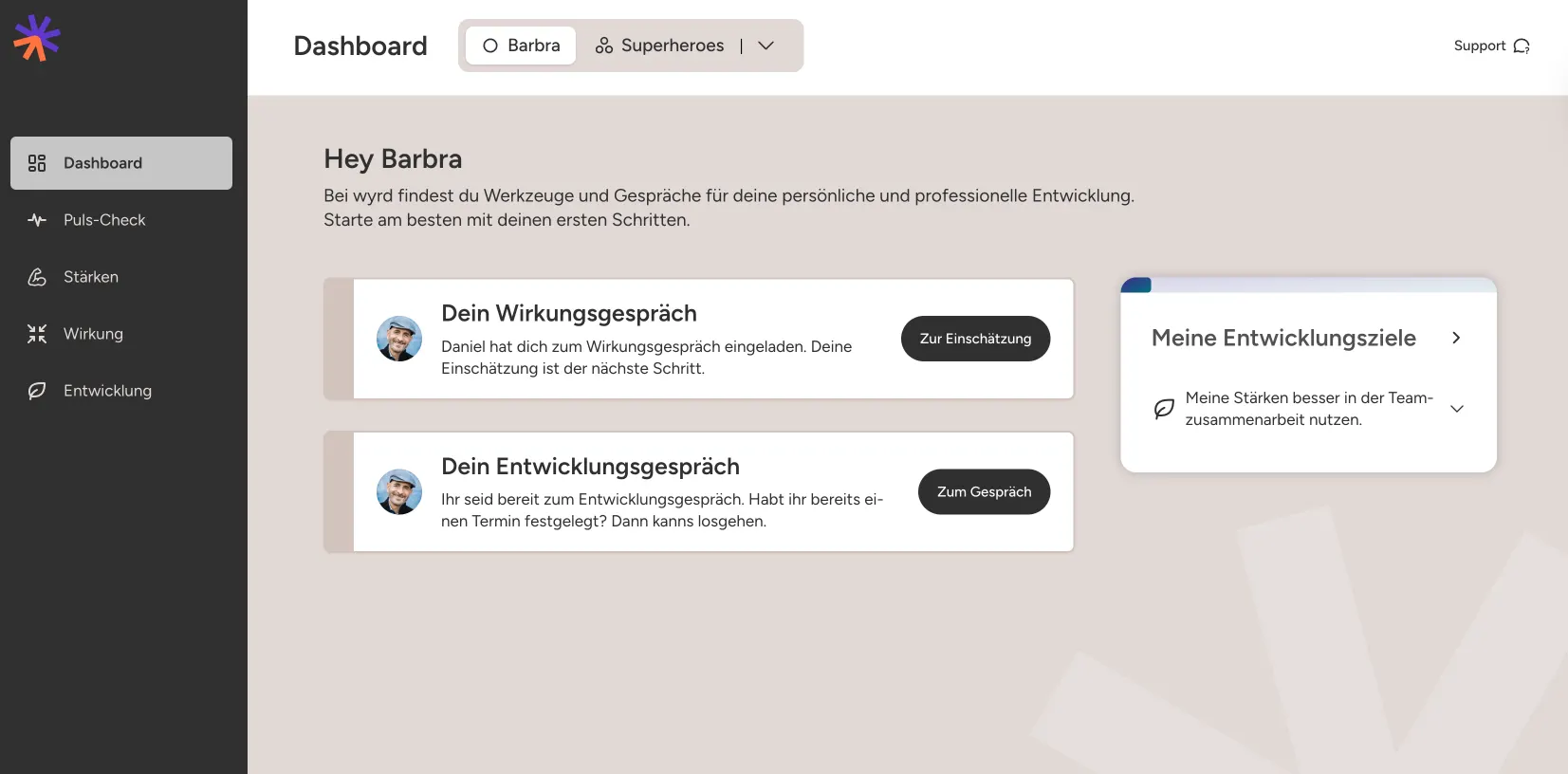
The dashboard now features new tiles for open performance and development discussions. This provides a practical overview of what's currently important and offers direct links to the discussion or its preparation.The dashboard now displays new tiles for open impact and development discussions. This provides a practical overview of what's currently important and offers direct links directly into the discussion or its preparation.
Further various updates
- Leaders can now directly adjust the roles of team members via Edit Team (Leader, Employees, or Coach).
- Impact conversations can be re-edited by leaders at their discretion (and before being revealed).
- The future vision for future journeys can be adjusted afterwards; additionally, the conversation history is also displayed.
- The tools shared during the development review are retained as a snapshot after completion, showing the status at the end of the conversation.
Dashboard Refresh
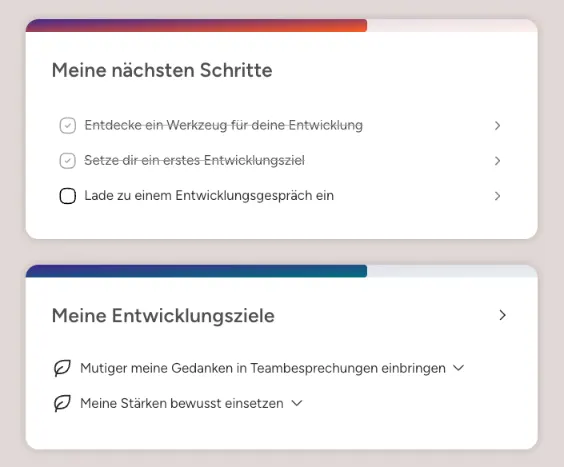
For spring, we cleaned up the dashboards and freed them from legacy issues. Now support getting started. There is also an overview of your own development goals so that important things remain present.
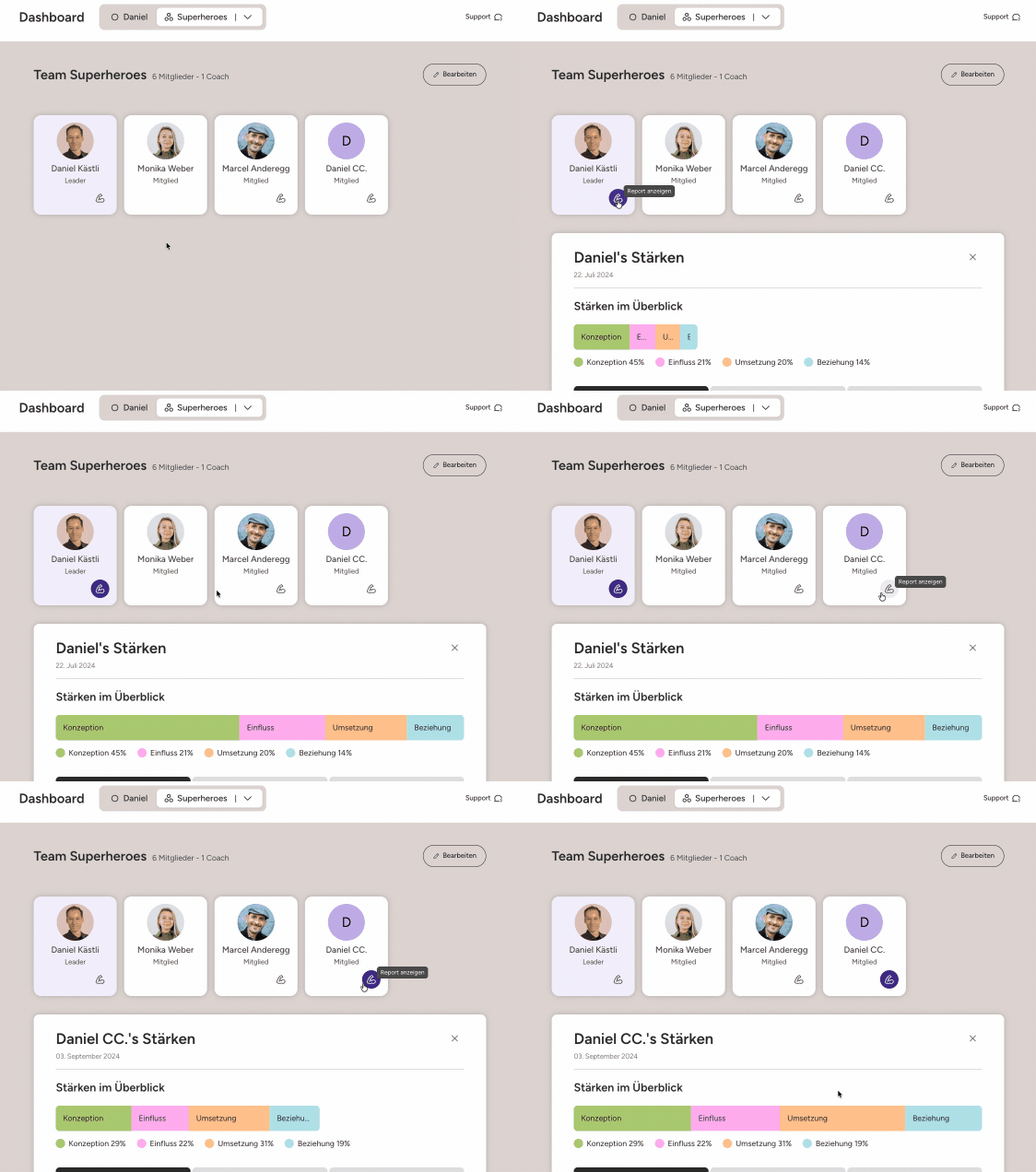
The team dashboard was also further developed. Team members and their strengths are now visible at a glance. This makes it clearer who brings what to the team and why collaboration is sometimes easy and sometimes not.
Introductory videos for in-app learning

Learn directly in everyday work. Introductory videos provide orientation in the app and show how methods are applied in practice.
It starts with content on development and discussions, with more to follow.
Automatic creation of team reports
Team reports are now automatically generated and continuously updated — without manual initiation via the dashboard. Changes in the team, such as new members, resignations or additional assessments, are incorporated directly and always keep the reports up to date. This not only saves time and reduces unnecessary steps, but also ensures that up-to-date, reliable insights are available exactly when they are needed.
Favourites in the pulse check
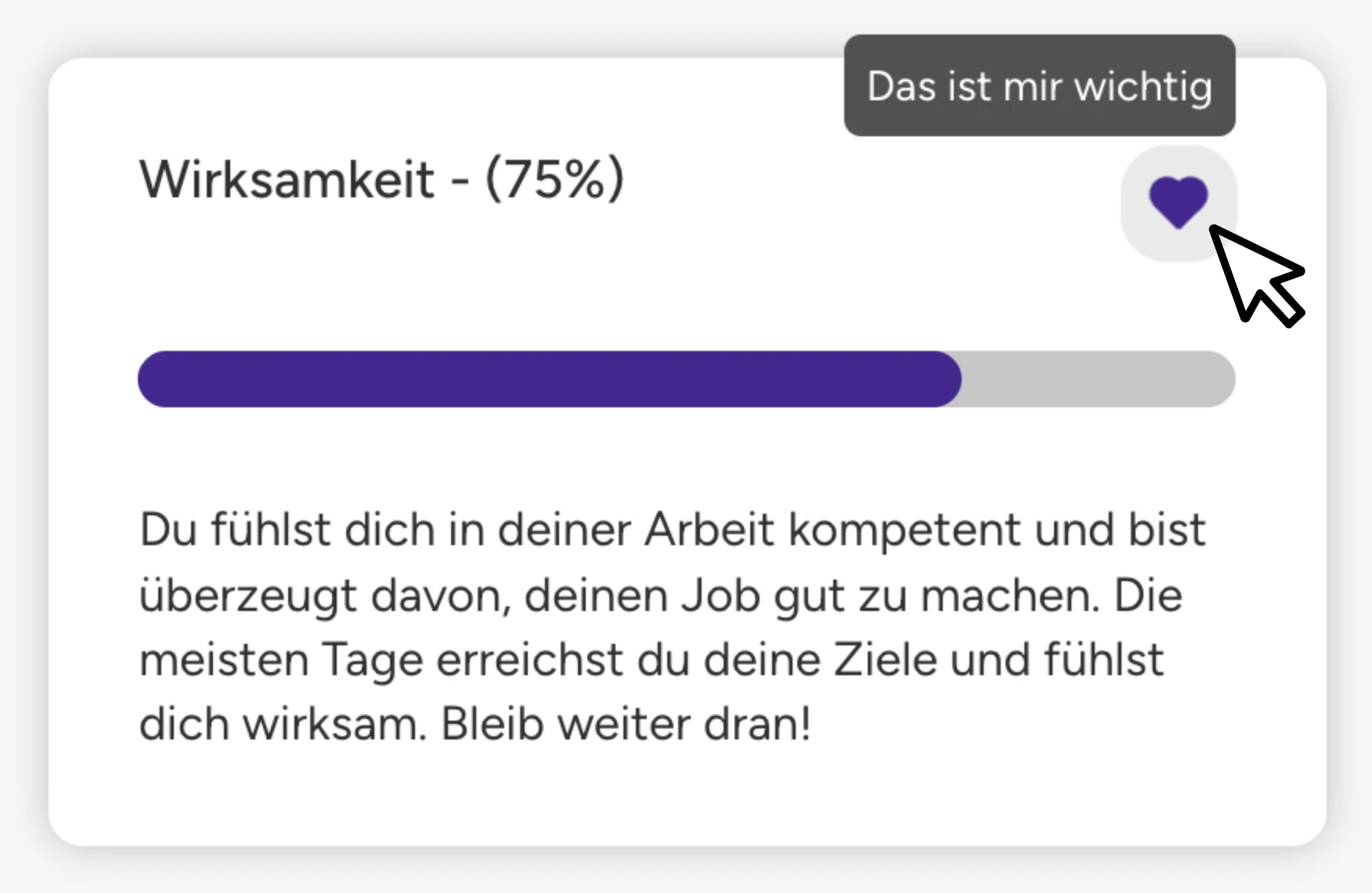
Employees can now mark individual categories as favorites in their pulse checks and thus show what is particularly important to them. This makes it visible at team level which topics are really relevant for the team — regardless of how they are rated.
This allows managers to recognize more quickly where the team's priorities lie and which topics are worth tackling in a targeted manner or taking up in a team discussion.
More personality for single sign-on login
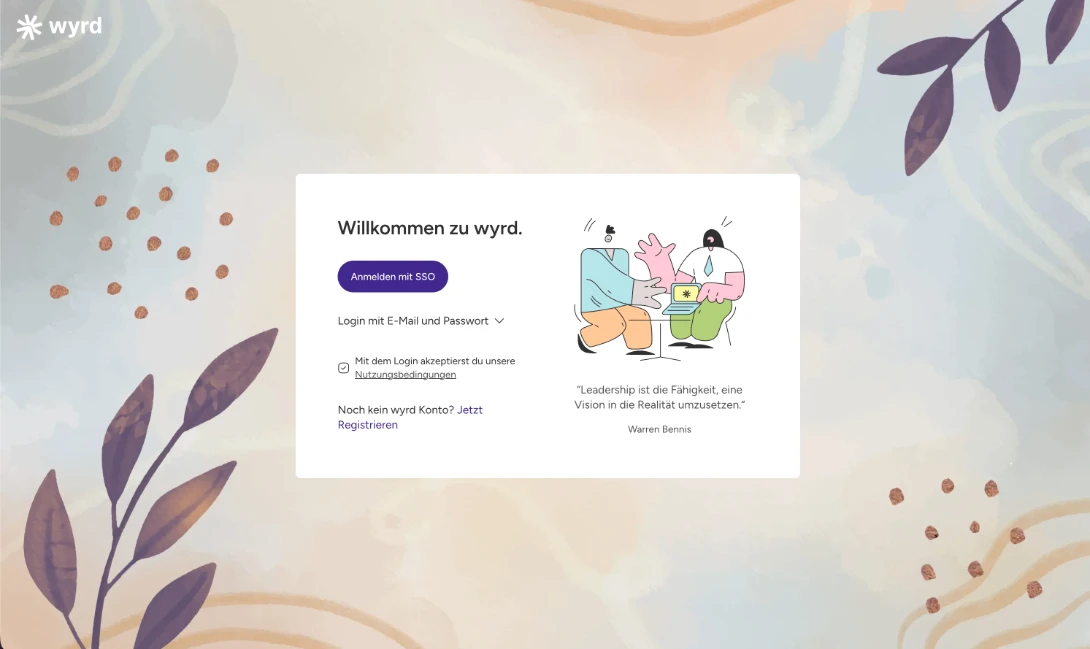
Create the right start for employees. Give your login page the look of your company and build trust from the very first moment. Adjust the background image and logo, decide whether to display illustrations, and decide which login or SSO methods are available.
These features are part of the Enterprise license. ✨
Other various updates
- Clear synchronization characters in text fields transparently show whether and when content was successfully saved with the server.
- New offline indicators — particularly for mobile use — ensure that no data is lost, even if the connection is interrupted.
Organize development tools
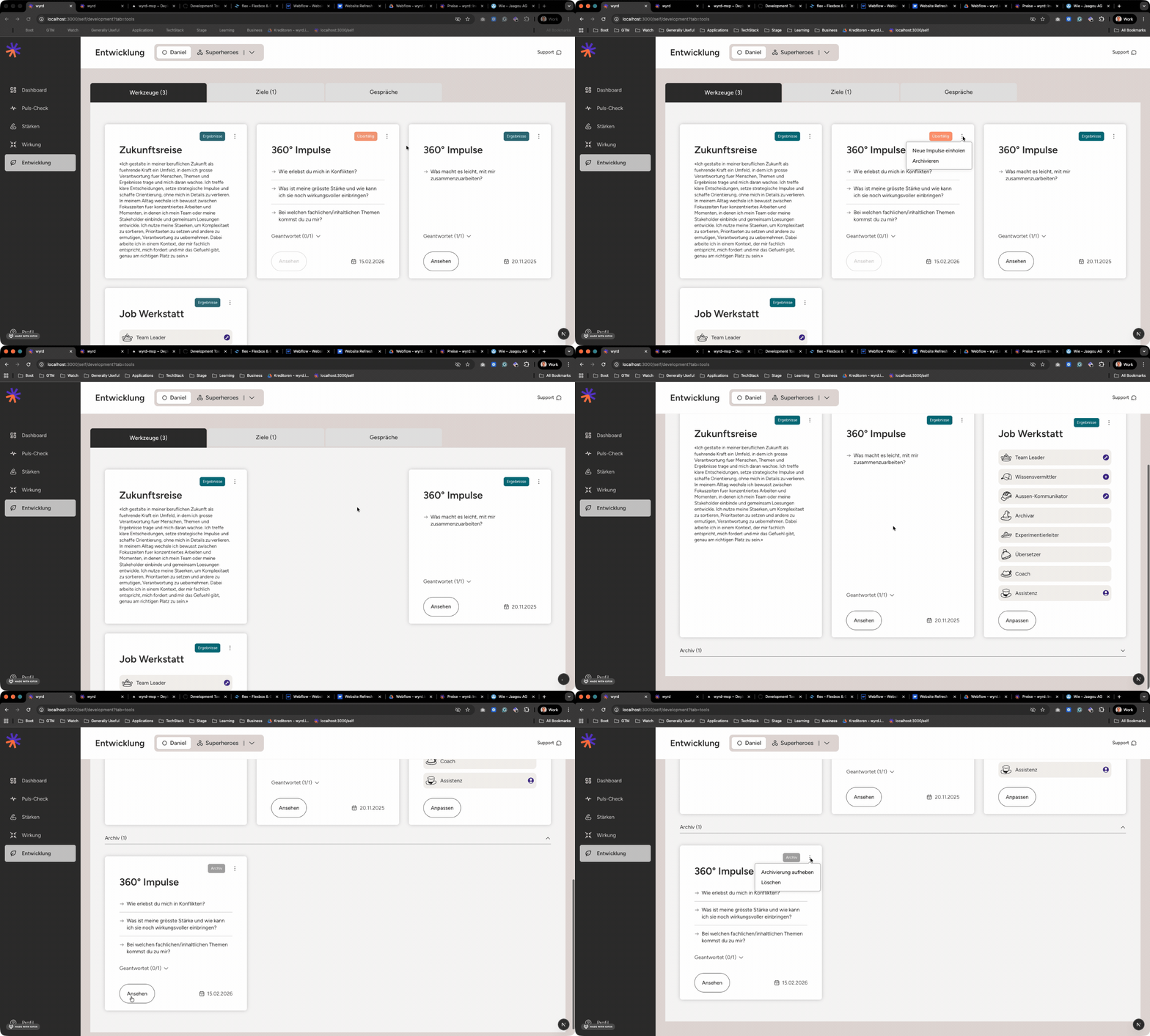
Anyone who works diligently with development tools knows it:
Over time, the dashboard... shall we say... comes alive.
To restore clarity, we've cleaned it up — or given you the tools to do so:
- Tool tiles can be re-archived. They disappear from the active overview and go into the archive — neatly collected below.
- And if you like it really tidy: Archived tiles can now also be deleted.
What does it do for you? More focus on what really counts right now. Less visual chaos. And the good feeling that your development space is just as structured as your thoughts (at least mostly 😉).
Live updates when notes are shared during the development meeting
Good development talks don't happen by chance.
They are created through good preparation — and through genuine thinking in the moment.
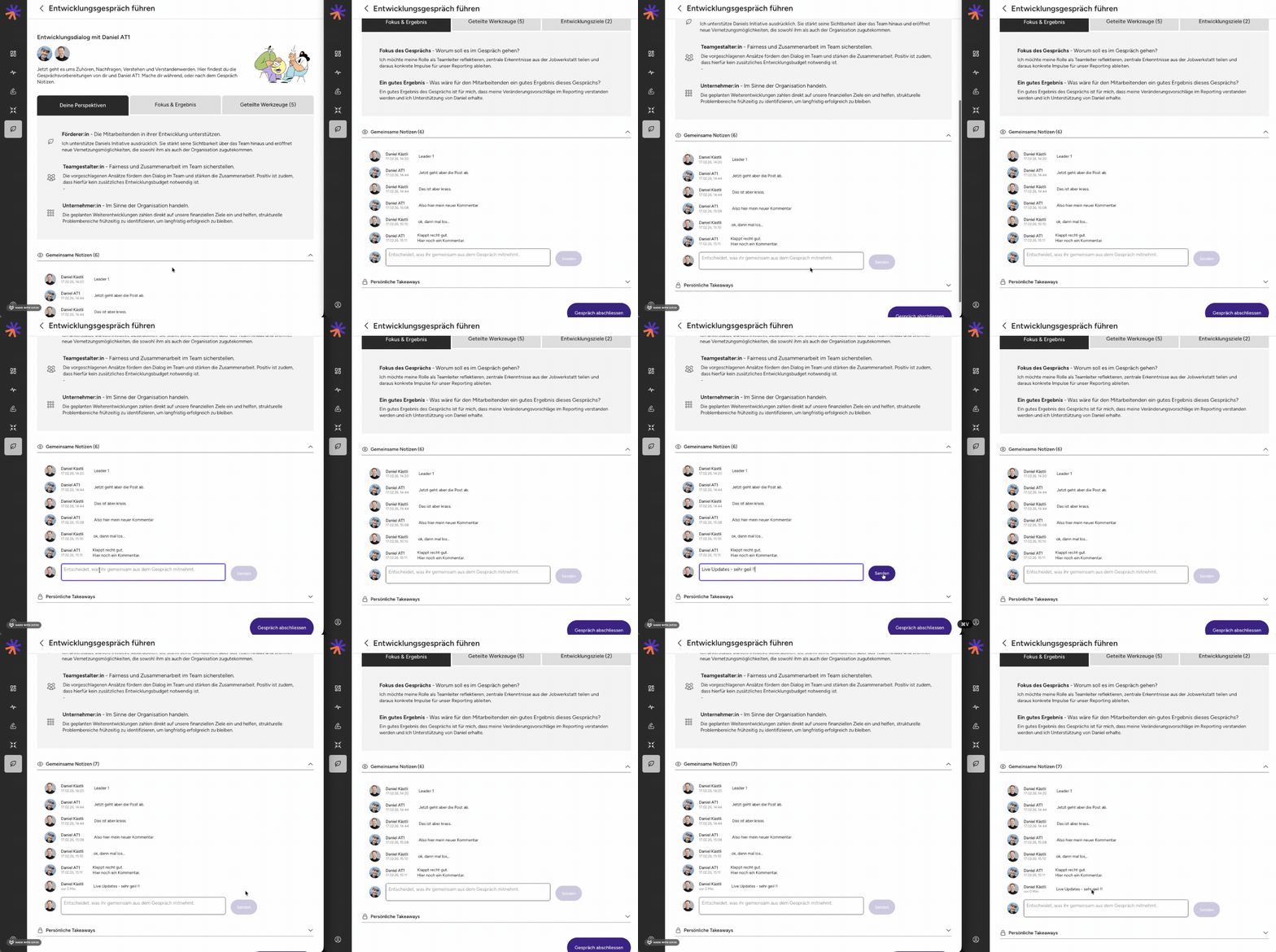
You can now record joint notes live during a conversation.
No matter who writes: They both see everything in real time.
Thoughts, insights, next steps — documented right where they arise. This keeps the focus on the dialogue — and the result is clearly recorded.
Support Chat - Anytime for feedback and questions
Happens to all of us: What's next?
Or: That would be really helpful now...
From now on, you can ask such questions and ideas directly in the app. With the new in-app support chat, you can reach us quickly and easily — right when something pops up.
No detours. No “I'll write another email later.” Just write. We'll read along. And we'll answer.
We'd love to hear from you!

Other various updates
- Development discussion: Fix PDF handout text overlapping of the job workshop
- Text boxes: Now show a small icon while saving the content and a warning if saving was not successful.
- Job workshop: increase the maximum number of roles to 8
- Shared notes can be edited if there is a typo.
- Improved email compatibility with MS Outlook
- Profile photo upload
Product intros - Briefly explains what's in it
The wyrd product suite includes a full range of tools and tools. And yes — sometimes when you first click, you ask yourself: Where is the best place to start?
To help you get an overview faster, there is a new short product intros for every tool. A concise explanation of what it is about and how it supports you.
And that's just the beginning: Follow soon short intro videos, which provide additional context and make it even easier for you to get started.

Development talks - growth in dialogue
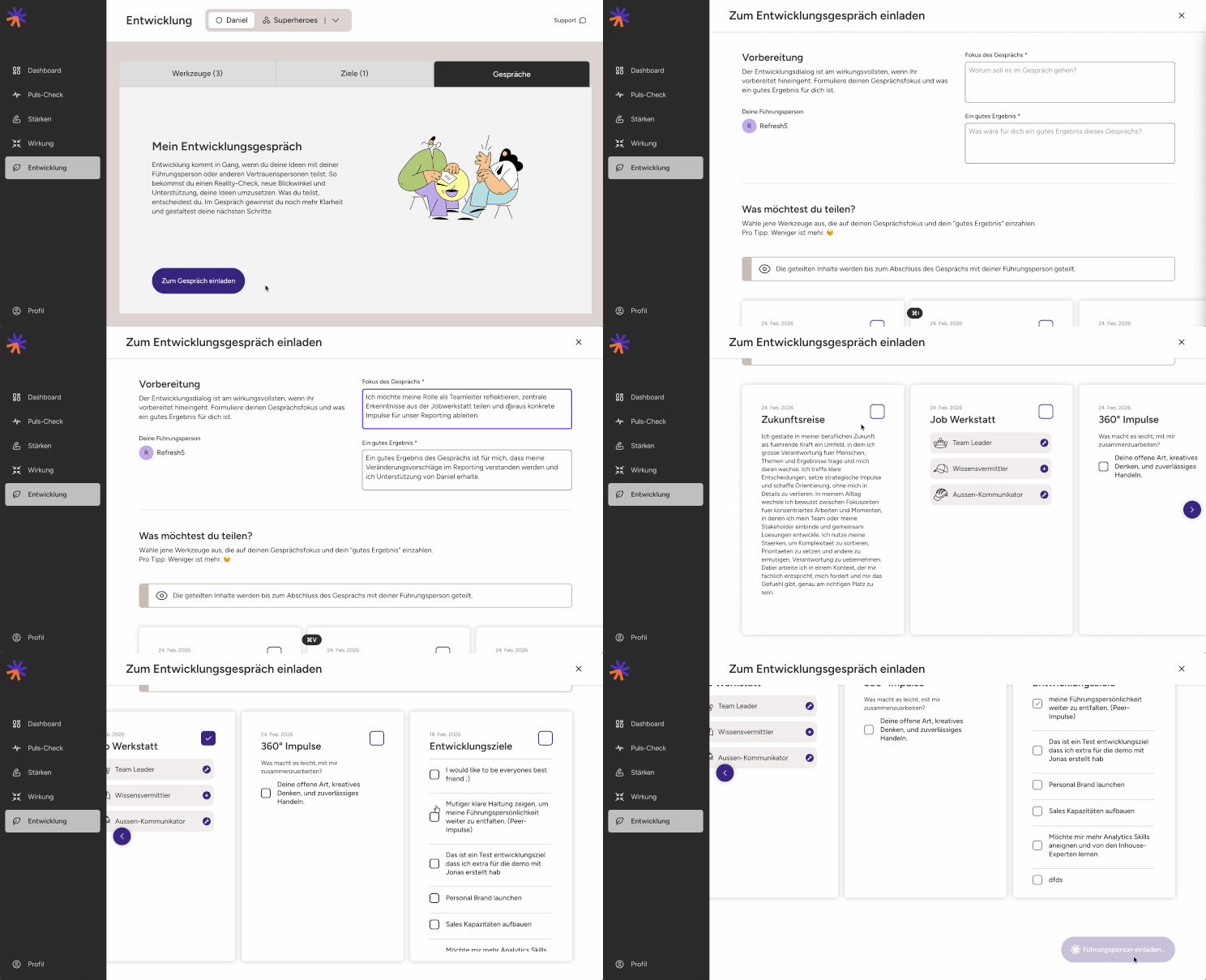
The development tools already offer employees inspiration and space for reflection. But real development comes from conversation.
Employees can now initiate development talks themselves, set the focus and decide which results they want to share.
In this way, the manager knows in advance what is at stake — and can prepare in a targeted manner.
What good is it for you? More personal responsibility for employees. More clarity for managers. And conversations that don't just take place — but really move forward.


